
WaytoGo: Getting Started
-
Go to WaytoGo.
Click Get Started and fill in your information.
Enter your Network when prompted. This can either be your employer name or residential complex (ie. Encore Boston Harbor, Nightshift Brewing, Artemas Apts., Hood Park, etc).
Click Register to finish creating your profile. You’re now able to log commutes and sign up for our programs!
Logging and Favoriting Trips
-
Many of our programs require you to log trips on WaytoGo. Read how to “favorite” your typical commute and how to log a trip.
Favoriting a Trip
On the WaytoGo homepage, click your name on the top right corner, then Edit Profile.
Click Public Profile and fill in the information for your “Typical Commute”.
Then Update Public Profile.
Logging a Trip
Click Dashboard on the top of the screen, then scroll to the Log Your Trips section.
Click Enter Custom Locations to fill in information about your trip.
Or click Favorite Trip to automatically input information from your typical commute.
Once you logged your trip, you can click History next to the calendar to view or edit trips.
Favoriting Multiple Trips
-
On the WaytoGo homepage, click Dashboard at the top of your screen.
Under the My Commutes section, click the green “Add Another Commute” button in the bottom right corner.
Enter the information for an additional commute/trip you want to favorite, and save.
To edit or delete an existing favorited trip, select the commute and click the blue “Edit This Commute” button in the top left corner.
Finding Carpool Matches
-
On the WaytoGo homepage, go to the “Dashboard” tab.
Click the green “Add Another Commute” button, and input the information for your typical commute if you have not already.
Check off the carpool button under “Commute Interests” and specify if you want to be a driver or passenger. Then save.
Go to “Group Matches”, then “Carpool”.
Search for potential matches, and click the “Connect” button for individuals you want to send a message to.
Under the “Manage My Pools”, you can see your carpool members and invite others.
Automatic Trip Tracking on the App
2. In the “Dashboard” tab, click on the “Get Connected” button in the top right corner. Copy the pin.
1. Log into or create your account on WaytoGo.
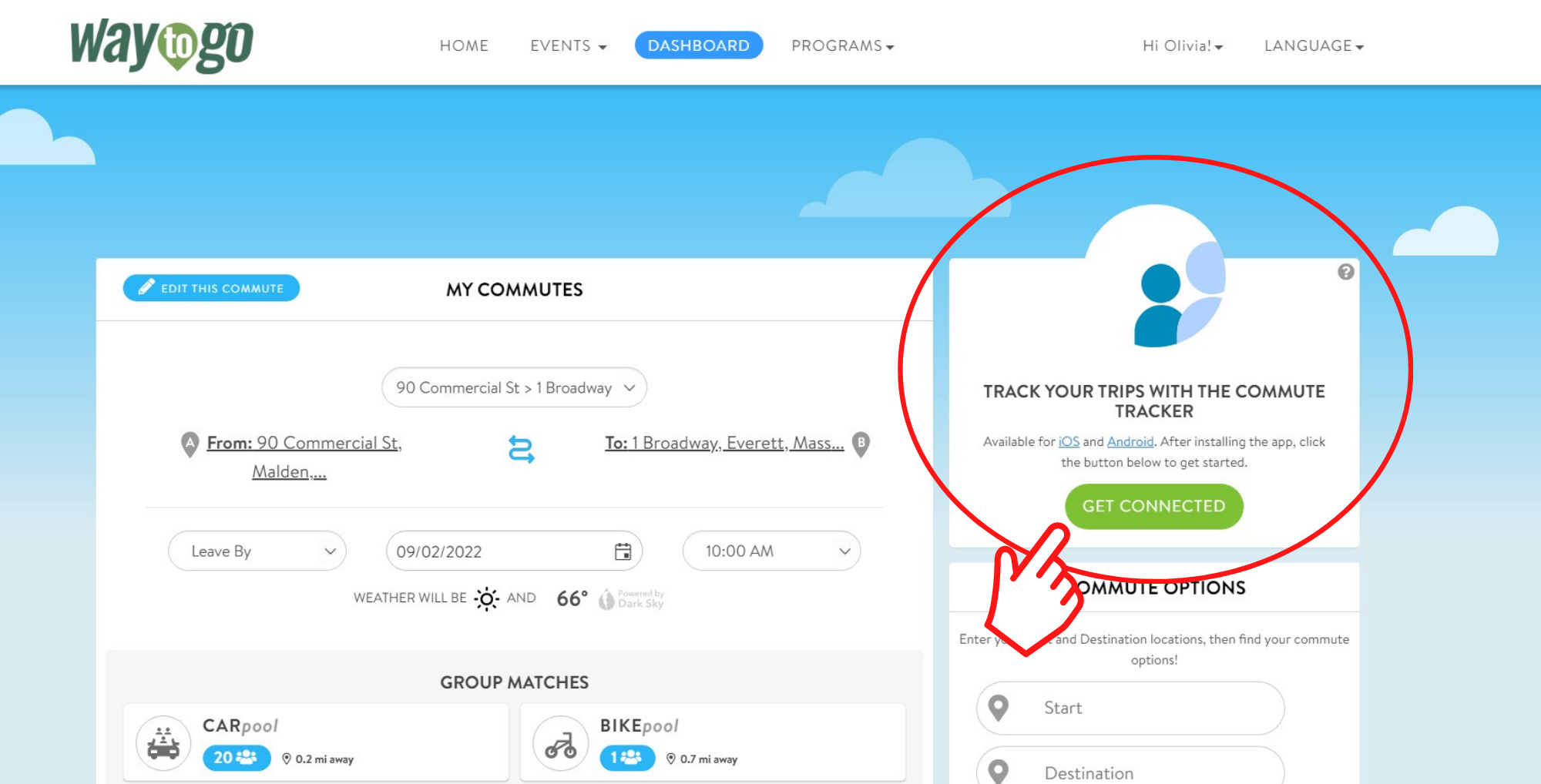
3. Download “Commute Tracker by RideAmigos” for iOS or Android, and enter your email and pin number when prompted.
4. Open the app and click the “Tracking” button at the top of your screen to automate your commute logging.
Now, you can check the app periodically, and WaytoGo will simply ask to confirm the commutes you made to and from work since the last time you opened the app.
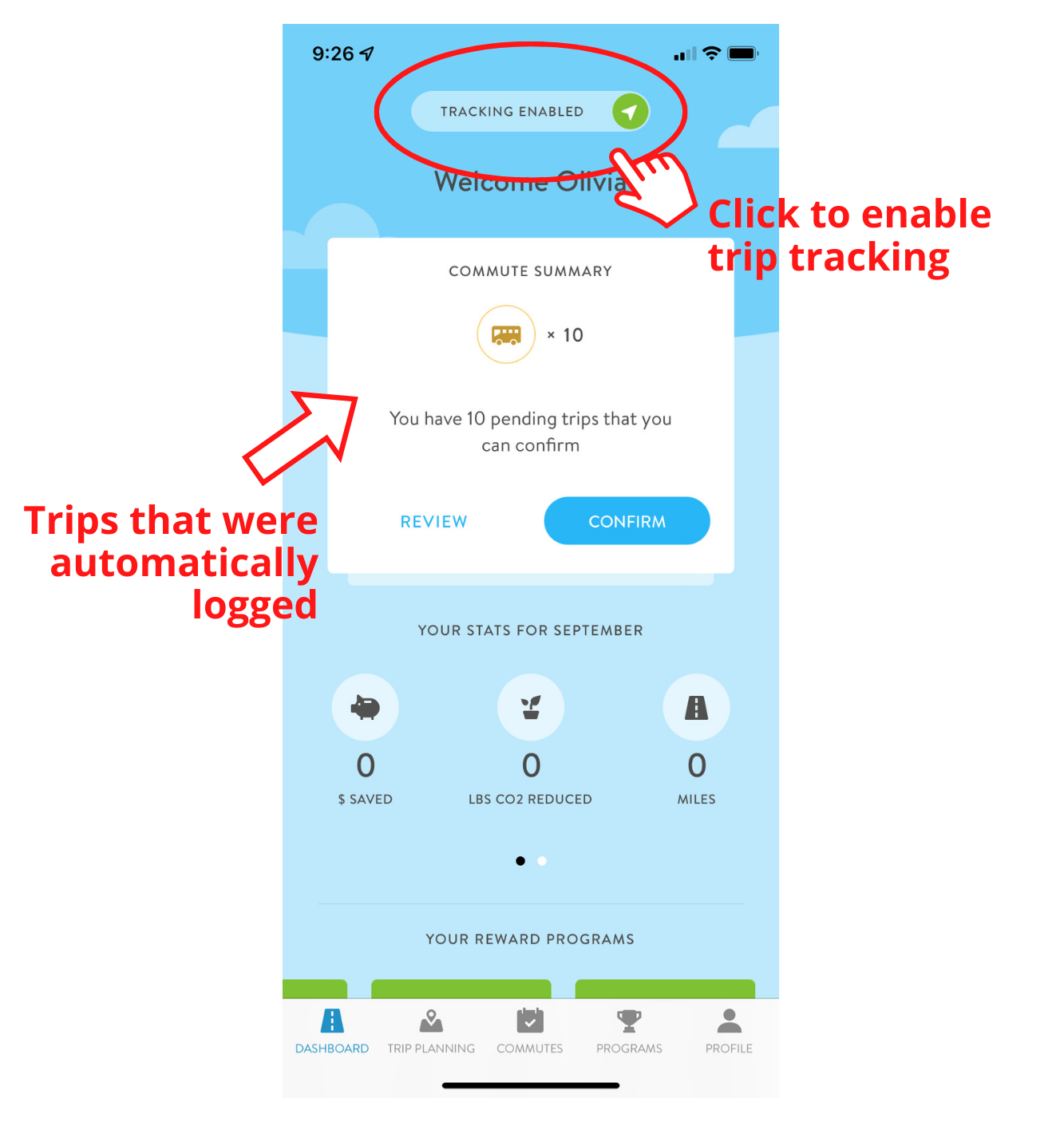
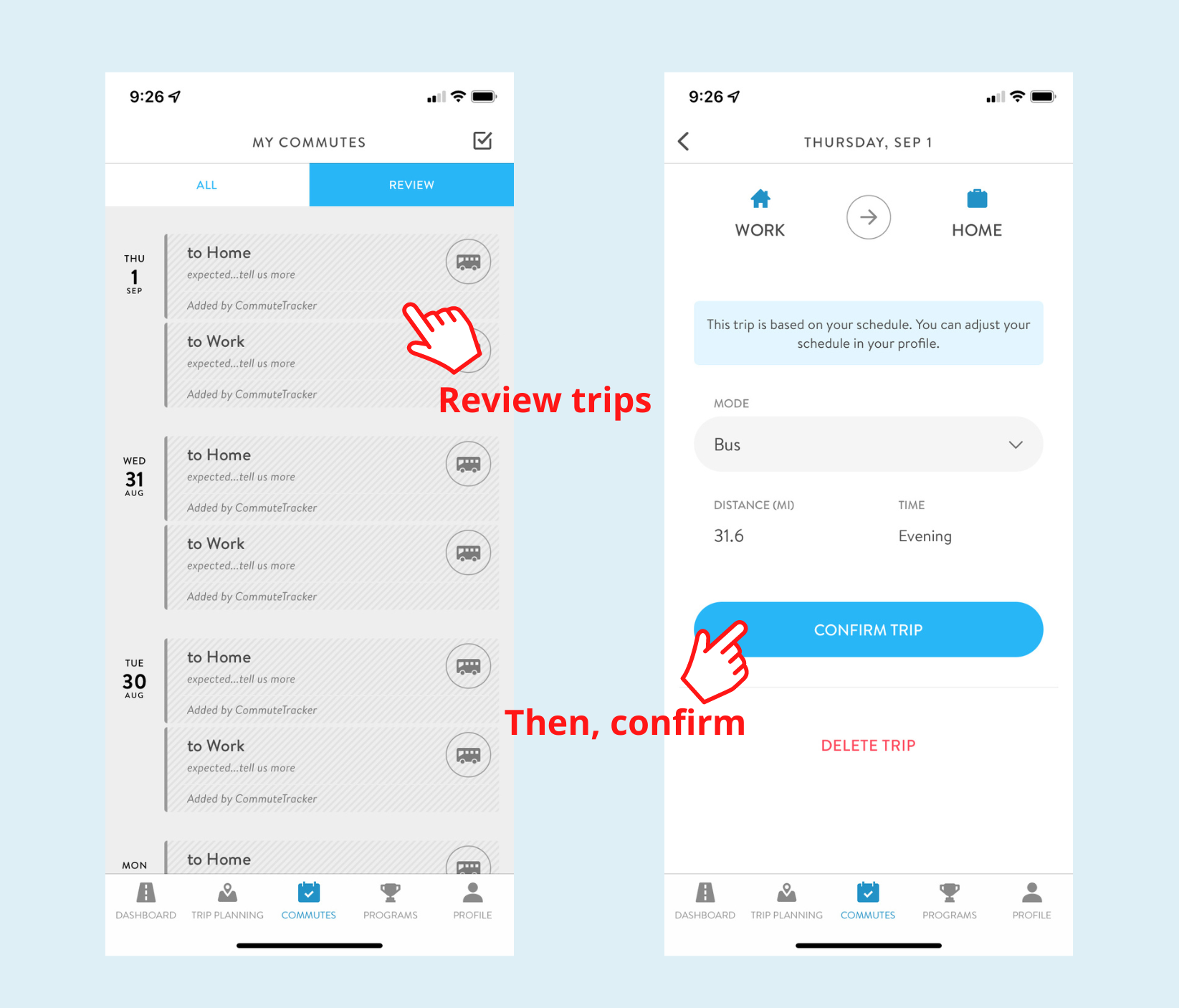
Once you’ve created an account on WaytoGo, download the app so you can easily and quickly log trips on the go!
Commute Tracker by RideAmigos

